
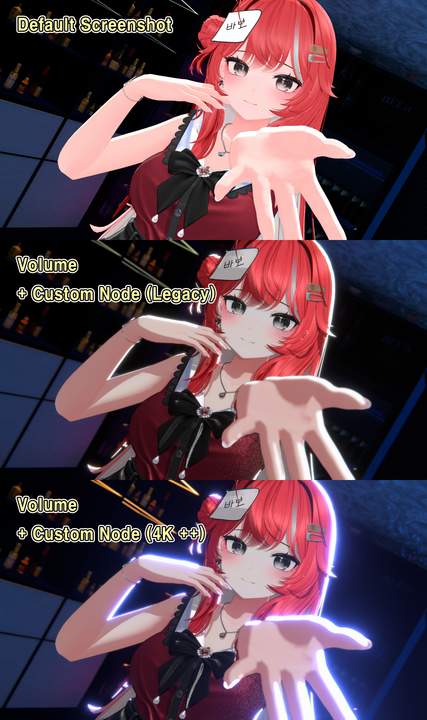
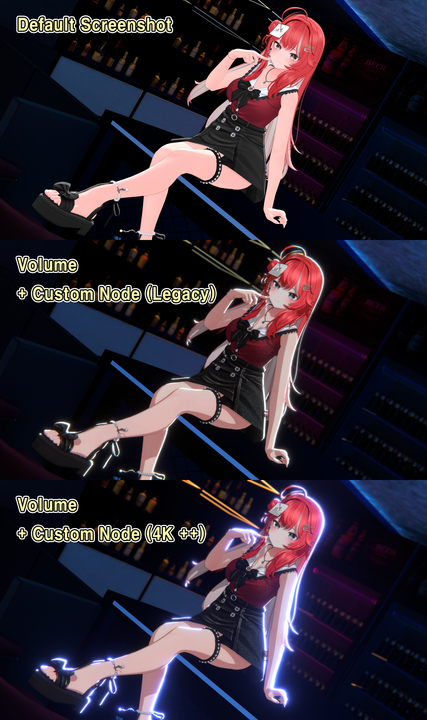
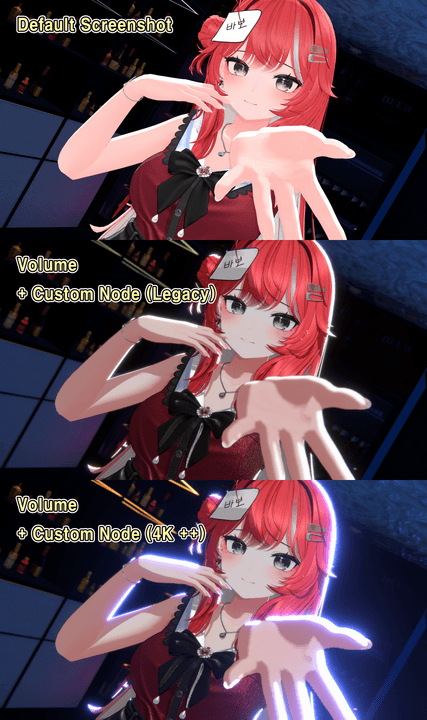
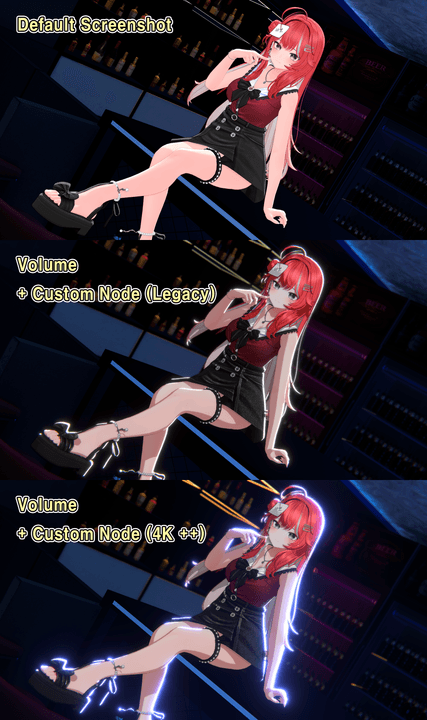
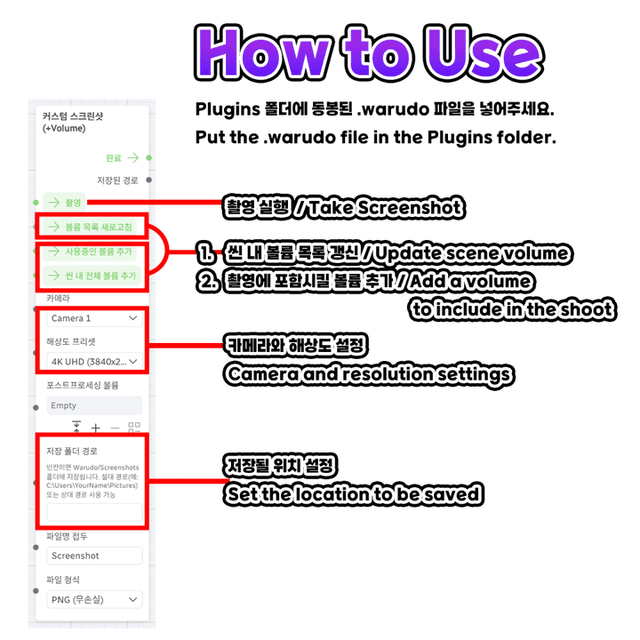




This is a custom screenshot node designed to capture high-quality screenshots including lilToon volume post-processing.
※ This is not a program that applies lilToon effects if lilToon is not used.
It adds a node that renders the set volume values together with the screenshot.
It does not automatically create blueprints.
========================================================
Usage:
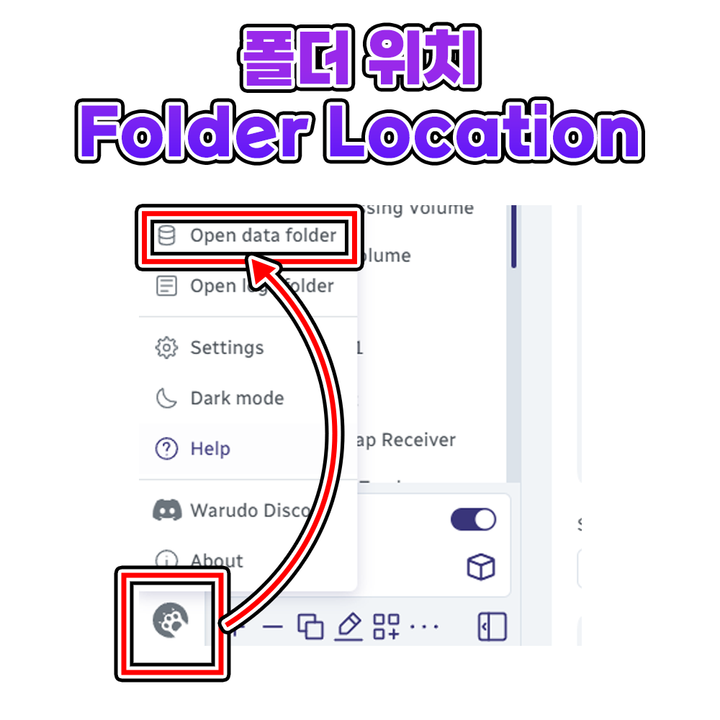
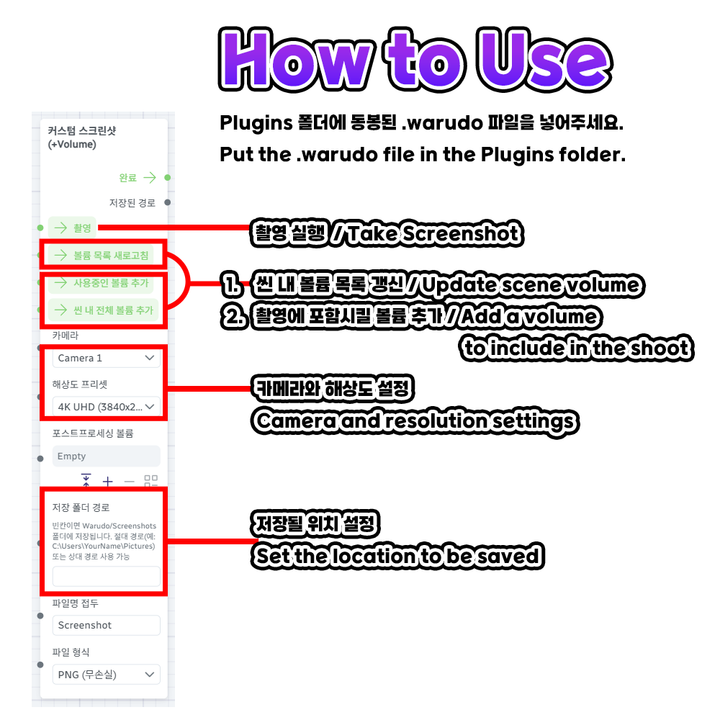
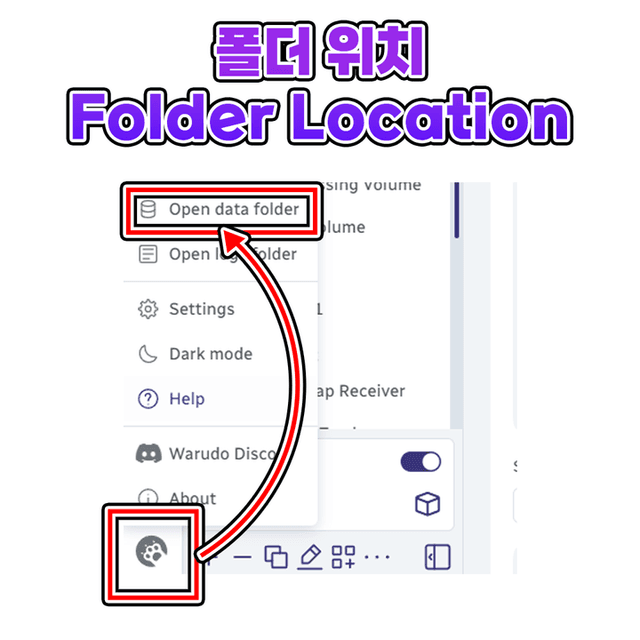
Please place the included .warudo plugin in the Plugins folder.
After adding the plugin, restart Warudo to add the custom node.
※ It does not add blueprints directly.
Please add a new blueprint and search for the screenshot node in the right navigation pane to add it.
Terms of Use:
This content is protected by copyright law. Unauthorized copying, distribution, or modification is prohibited and may result in legal action.
One license is valid for use by one VTuber only.
For group or corporate use, please contact us before purchase.
========================================================
Update:
26/04/29 Beta Support Fix
Temporary support for plugin usage issues caused by beta 260426 update
※ Beta versions are unstable pre-releases and are not officially supported.
A temporary fix version is included, but if there are additional internal logic changes in Warudo, the beta version may also become unusable.
Please use the official version whenever possible.


