






==================================================
📄 Manual: https://www.notion.so/KOBO-KITS-TextureColorKit-Manual-3525fb91098980b28fcffc9bbd286f8a?source=copy_link
==================================================
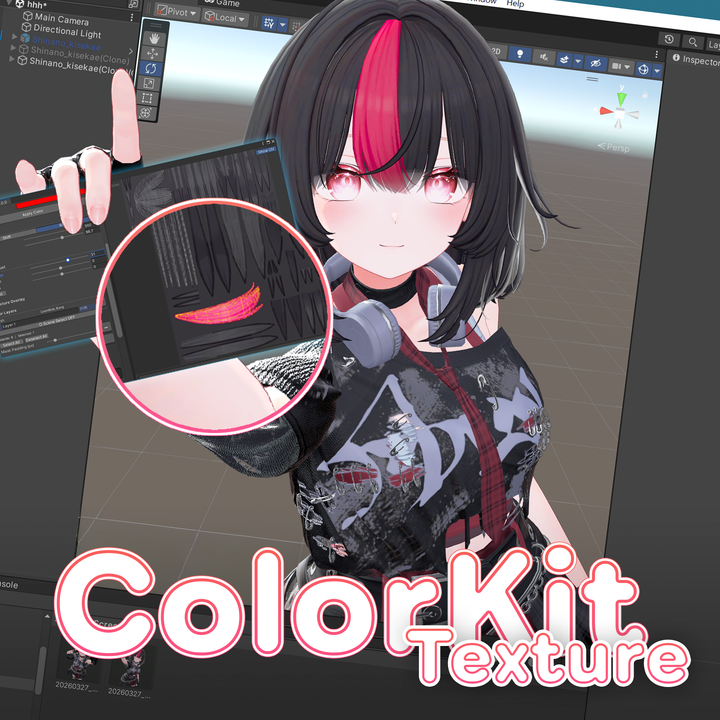
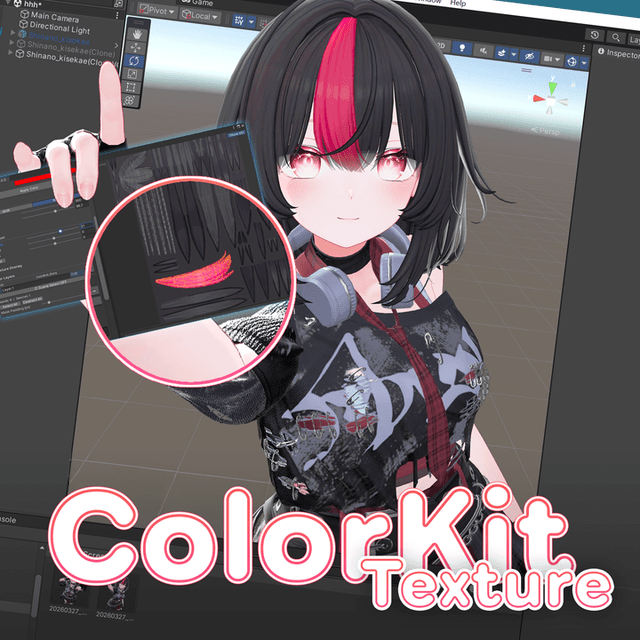
Texture Color Kit
🇰🇷 Texture color change, AO bake, face shadow SDF generation — all within Unity.
TextureColorKit is an editor tool that provides perceptually uniform CIELCH color space-based color adjustment, GPU accelerated AO map baking, and automatic animated style Face Shadow SDF creation all in one window.
📝 Features
🎨 Color Adjustment
🛠️ No external tools required — complete with Unity only
No need to open Photoshop or GIMP. From color changes to map creation and PNG saving, everything is done inside the Unity editor.
⚡ Real-time preview (GPU shader)
Slider changes are immediately reflected in the scene view and preview.
🎨 Perceptually uniform color adjustment based on CIELCH color space
Adjust colors in the CIELCH color space, which appears uniform to the human eye, for natural color changes.
✨ Color modes: Shift / Replace / Gradient
・Shift — Rotate the original hue by a specified angle (relative), adjust saturation by ratio
・Replace — Force hue to a specified value (absolute), saturation is additive allowing color application even to achromatic, white, or black
・Gradient — Apply directional gradient per UV island, using the same color application method as Replace, supporting achromatic colors
🎯 Automatic color matching
Simply specify the desired color, and the texture is automatically analyzed to calculate and apply optimal parameters. You can pick colors directly with the color picker or extract colors from other objects to match.
🔆 Tone adjustment (Brightness / Contrast / Gamma)
Adjust brightness, contrast, and gamma in sRGB space for natural results.
🗺️ UV mask selection
Visually select mesh UV islands to apply color changes only to selected areas. Selection is also possible by clicking in the scene view.
🖌️ Multi-layer system
Stack multiple color layers to non-destructively manage different color settings per area.
🖼️ Texture overlay
Composite other textures in UV space. Position, scale, and rotation can be directly manipulated with gizmos.
👥 Multi-target — batch edit multiple objects
Select multiple objects simultaneously to apply the same color adjustments in batch. Objects sharing the same texture are automatically grouped.
---
🗺️ Map Creation
🗺️ Mask map
Export selected UV islands as PNG. Create masks for shaders like lilToon without external tools.
💡 AO (Ambient Occlusion) map
High-quality AO maps are baked quickly using GPU ComputeShader-based BVH accelerated ray tracing. Resolution, sample count, and AO radius adjustable via UI.
🧵 Normal map generation (procedural patterns)
Combine 6 procedural patterns (Mosaic / Wave / Diamond / Pebble / Grid / Knit) to bake detailed normals such as fabric, knitwear, and bumps directly in Unity. Applied per UV island, rotation adjustable per layer, can blend with existing normal maps without overwriting. Real-time preview, intensity and pattern density sliders, supports 256~4096 resolution.
🎭 Face Shadow SDF
Automatically generate animated style face shadow SDF maps. Outputs in lilToon _FaceShadowTexture compatible RGBA format. Nose and Rembrandt triangle can be designated with UV brush, automatic face island separation supported. Includes 10 avatar SDF presets.
🌐 KO / EN / JP — 3-language UI support
---
⚠️ Notes
🇰🇷 Korean
- This tool is for Unity editor only. It does not affect runtime or builds.
- Changes before saving are applied only to temporary RenderTexture. When the window is closed, materials in the scene automatically revert to the original textures.
- Objects sharing the same texture are handled as a group. Changing one applies to all objects using that texture.
- Assets purchased on Booth etc. may have texture Read/Write disabled. The tool automatically enables it, so no separate setting is needed.
- By default, saved files are placed in the same folder as the original texture.
---
📦 Update History
v1.3.2 (2026-05-08)
✨ Fixed issue where AO Map appeared white on some costumes
v1.3.1 (2026-05-06)
✨ Added AO Map Bake mode for worn clothes
⚡ Optimized AO Map Bake speed
v1.3.0 (2026-04-30)
🧵 Added normal map pattern generation
v1.2.1 (2026-04-21)
🐛 Fixed issue where Face Shadow SDF map contrast was inverted on certain avatars
v1.2.0 (2026-04-17)
🎭 Added Face Shadow SDF bake
⚡ Optimization and RT / UV processing performance improvements
📦 Includes 10 avatar SDF presets
v1.1.2 (2026-04-07)
🐛 Fixed issue where AO map output was black
v1.1.0 (2026-03-30)
🎨 Added gradient mode
🗺️ AO (Ambient Occlusion) map creation
📂 Added map creation section
🐛 Fixed issue where "No changed texture" was displayed after applying gradient
🌟 Fixed issue where saving was not detected when only Contrast / Gamma were changed
---
📋 Terms of Use
- Redistribution and sale of this data are prohibited.
- Distribution, transfer, sale, or resale of this data to third parties is prohibited.
- Modification of this data is permitted, but redistribution or sale of modified data is prohibited.
- This software does not guarantee normal operation in all user environments.
- This software cannot be used for activities violating laws or public order and morals.
- Copyright of this data belongs to KOBO-KITS.
- Acts infringing copyright and intellectual property rights of this data are prohibited.


