
Description
Pulsoid Bridge — Warudo Plugin
"Real-time heart rate, straight into the node graph."
A Warudo plugin that receives real-time heart rate data from Pulsoid via WebSocket and pipes it directly into the Warudo node graph.
Drive expressions, effects, and sounds with your live BPM, or trigger actions whenever your heart rate enters a specific zone — build performances that truly react to your vitals.
◆ Key Features
● Real-Time Pulsoid Connection
Connects directly to the official Pulsoid Real-time API over WebSocket and streams heart rate data in real time.
● Auto Connect & Auto Reconnect
Connects automatically on scene load and retries with exponential backoff whenever the connection drops.
● Stale Timeout
Falls back to 0 BPM if no message arrives within a configurable window (1–30 seconds), so unplugged watches and dropped signals are handled safely.
● Connection Notifications
See the connection state at a glance through toast notifications and a toolbar status icon. Notifications can be turned off if you prefer a quiet UI.
● Node Graph Integration
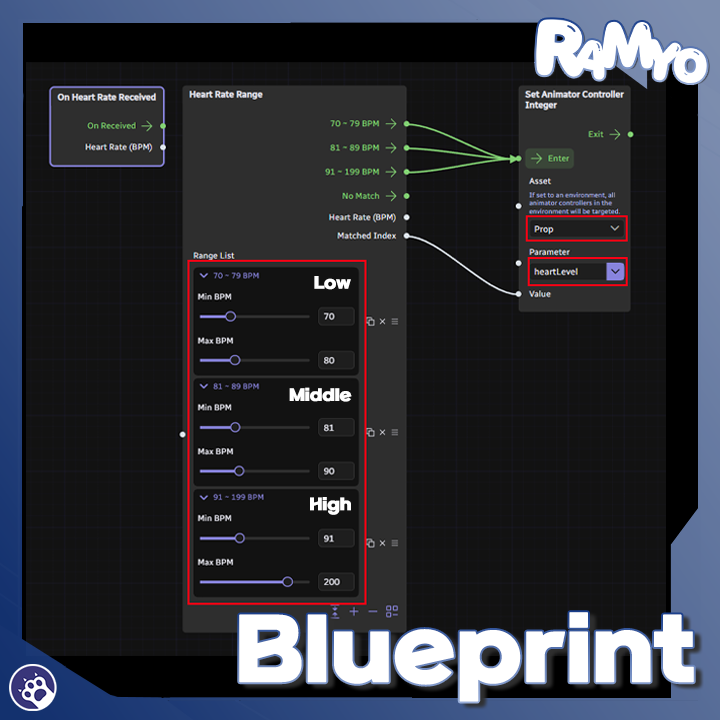
- "On Heart Rate Received" node: fires a flow every time a new heart rate value arrives.
- "Heart Rate Range" node: define any number of BPM zones — the node automatically routes flow to the matching zone, with a separate "No Match" output.
● Multi-Language
Available in English, Korean, Japanese, and Simplified Chinese.
◆ Usage Examples
Heart Rate (BPM) → Performance
─────────────────────────────────────
60 ~ 90 BPM → Calm expression + relaxed BGM
91 ~ 130 BPM → Default expression
131 ~ 160 BPM → Tense expression + SFX
161 BPM and up → Red overlay + camera shake
◆ Installation
1. Download the .warudo file.
2. Place the file in the `Warudo\Warudo_Data\StreamingAssets\Plugins` folder.
3. Restart Warudo.
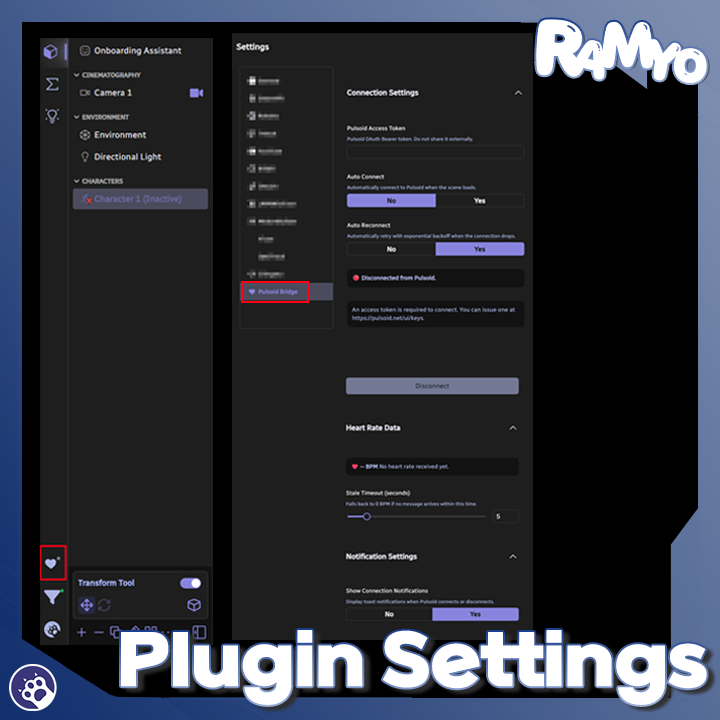
4. When the Pulsoid Bridge icon appears in the left toolbar, installation is complete.
◆ Setup
1. Issue an access token at https://pulsoid.net/ui/keys.
2. Paste the token into the Pulsoid Bridge plugin panel inside Warudo.
3. Press "Connect" to start receiving live heart rate data.
4. Optionally enable "Auto Connect" and "Auto Reconnect" so future sessions connect on their own.
5. Add the "On Heart Rate Received" or "Heart Rate Range" node in the node graph and wire it into the performance you want to drive.
◆ License
This plugin is licensed per individual user.
For commission work, both the creator who sets it up and the streamer who uses it must each purchase their own license.
Sharing a single license between multiple people or redistributing it is prohibited.
For corporate or business use, please contact us separately.
* A separate Pulsoid account and access token are required to use Pulsoid itself.
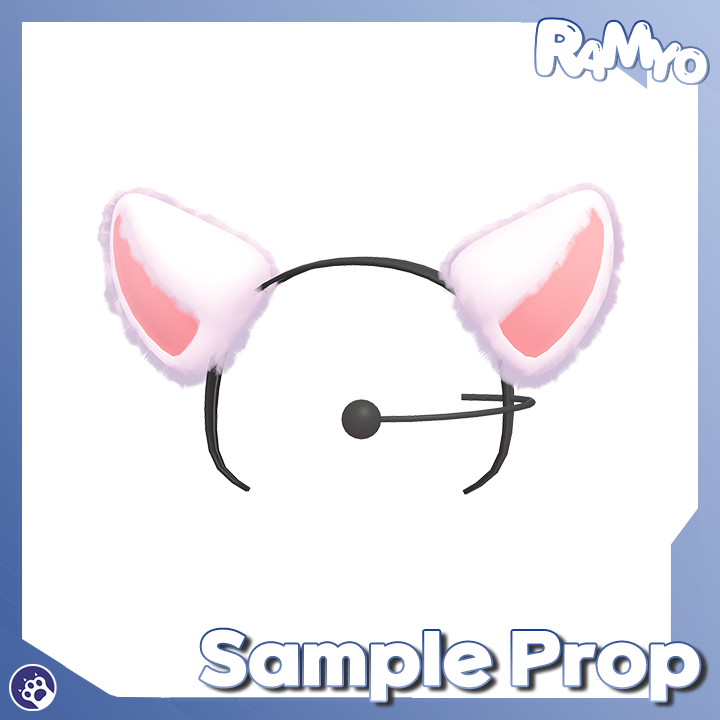
* This product is based on the “Animal Ear Headband_heartbeat” prop.
- https://eden-world.net/ko/market/1665