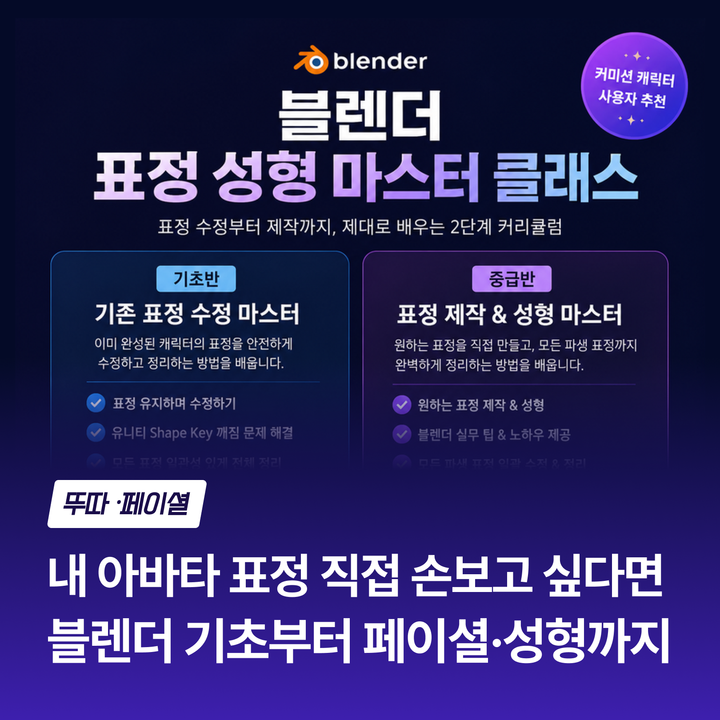
Description
Recommended for
- Those who received a character commission and want to refine facial expressions a bit more
- Those who were confused when fixing one expression caused other expressions to break
- Those struggling with eye closing or strange glitches when applying expressions in Unity
- Those new to Blender and unsure where to start
What you'll learn
- Basic Blender operations and understanding Shape Key structure
- How to safely modify expressions without breaking existing ones
- Resolving Shape Key overlap and conflict issues in Unity
- Reorganizing all expressions consistently based on the modified expressions
What you can do after the course
You will be able to freely adjust the expressions of received characters. You will also be able to fix issues that cause glitches in Unity by yourself, and build a foundation to continue learning in the intermediate course.
Intermediate Course Description
Recommended for
- Those who want to create expressions from scratch exactly as they desire
- Those who have reshaped expressions but feel other expressions are inconsistent and disorganized
- Those who completed the beginner course and want to advance further
⚠️ Please check before enrolling
The intermediate course assumes basic knowledge of Blender. If you are new to Blender or unfamiliar with Shape Key concepts, we recommend starting with the beginner course.
What you'll learn
- Defining desired expression directions and directly shaping and creating expressions
- Practical Blender tips used throughout the process
- Resetting all expressions consistently without breaking Shape Keys based on the completed expressions
What you can do after the course
You will be able to create your desired expressions yourself and neatly organize all expressions based on them. It truly feels like the character becomes yours.
🎁 Provided Exclusive add-on for students
We provide a custom-made add-on to make complex tasks much easier.
Beginner Course: 2-3 hours covering basic Blender operations and understanding Shape Key structure
How to modify expressions while preserving existing ones
Hands-on practice solving issues like eye closing and Shape Key conflicts/overlaps after shaping in Unity.
Intermediate Course: About 2-3 hours covering how to directly shape and create desired expressions, and how to consistently reset all derived expressions without breaking others based on the completed expressions. Practical Blender tips are also provided throughout.

About the Creator
Active mainly in VRChat and virtual content fields,
continuously researching real-time 3D character creation.
Utilizing various tools such as Blender, ZBrush, 3ds Max, Cinema 4D, Photoshop, Substance Painter, Amplify Shader Editor, etc.,
handling the entire production process from character creation, texturing, expression creation and modification, shader work, to real-time environment application.
Especially experienced in directly fixing expression structure issues and various conflicts encountered during actual work, currently continuing virtual character production and research while undertaking diverse production projects.