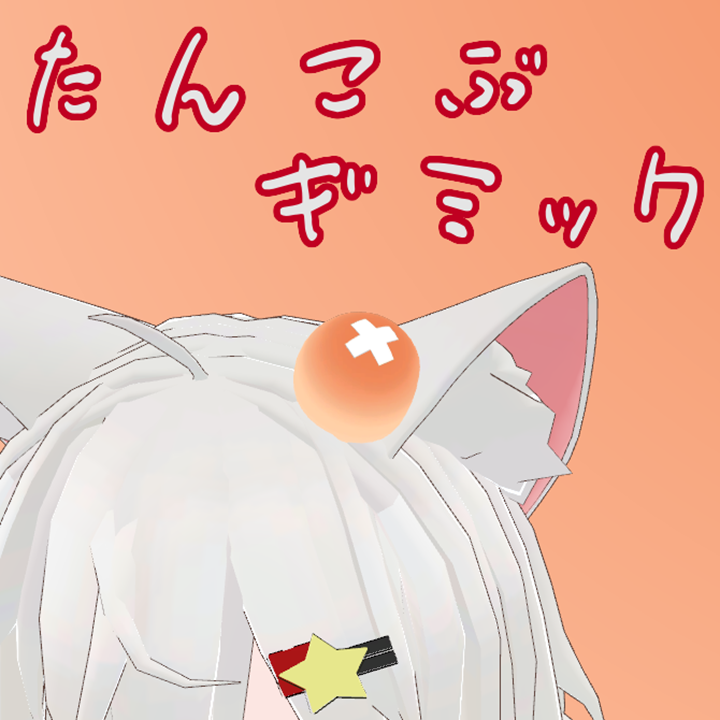
Description
This gimmick displays a bump on the head when the avatar is hit (touched) via avatar interaction.
Compatible with Modular Avatar.
* Avatar is not included.
Setup
1. Place Assets/Shop16/ComicalExpressions/Common/Prefabs/ComicalExpressions.prefab directly under the avatar.
2. Set Assets/Shop16/ComicalExpressions/Tankobu/Prefabs/Tankobu.prefab as a child of the above.
3. Adjust the position of ComicalExpressions > Tankobu in the hierarchy according to the character.
[Notes]
- For fine adjustments of the collision detection range and bump position, please refer to the thumbnail image.
- If you want to manually toggle ON/OFF, please use the Tankobu (Manual).prefab. Both can be included simultaneously.
Tested Environment
- Windows 11
- Unity 2022.3.22
- PC + Quest
- PC
Terms of Use
- The creator is not responsible for any troubles or damages caused by the use of this data.
- Modification and alteration of this data are allowed freely.
- Redistribution and sale of this data are prohibited.
Update History
2025/01/17 ver1.0
- Initial version released
2025/01/19 ver1.1
- Added manual control prefab
Credits
The following asset was used for the video and thumbnail. Thank you very much.
[Free Distribution] Original 3D Model "Felice"