Description
Warudo Ultra-Quality Screenshot
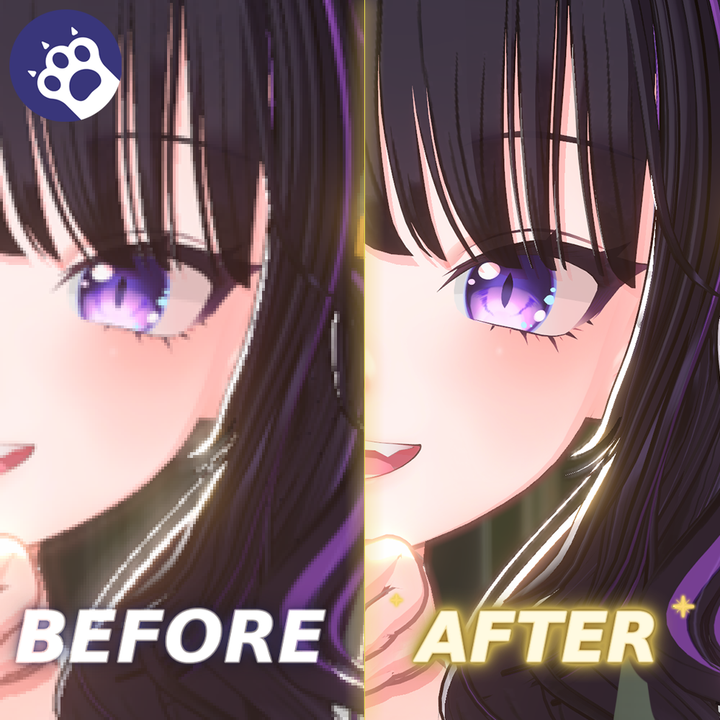
High-quality captures with your signature or watermark, directly inside Warudo.
Capture the camera's final render including post-processing and NiloToon screen effects, with LOD quality control and supersampling. Basic captures are available from the on-screen toolbar without adding Blueprint nodes.
Key features
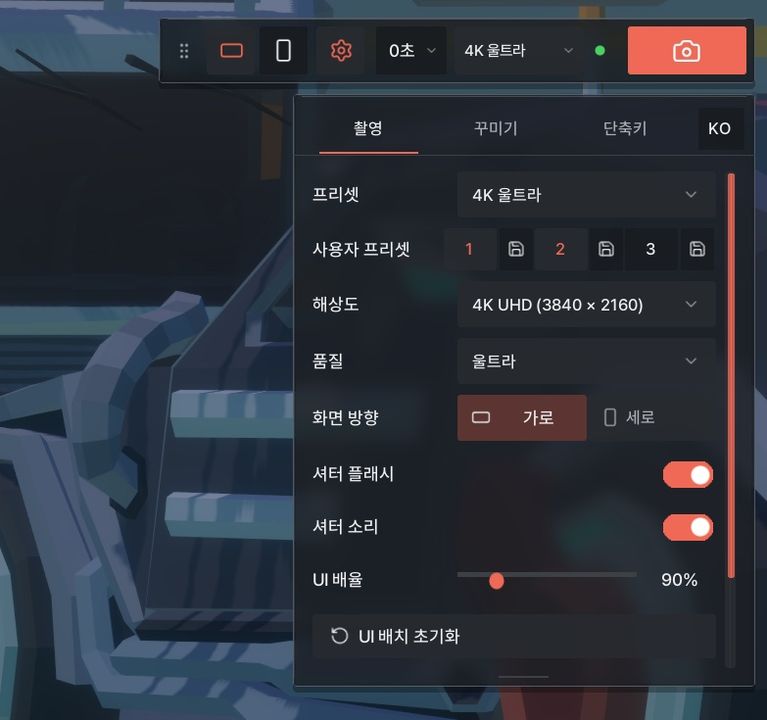
• In-game capture toolbar and settings panel
• Landscape 16:9 / portrait 9:16 capture, portrait guide and outside-area shading
• FHD / 4K / 8K presets and custom settings
• Rule-of-thirds guide, capture delay, shutter effects and save notifications
• Automatic PNG signature/watermark overlay with position, size, angle and opacity controls
• Transparent PNG frames, including landscape and portrait variants
• Korean/English UI, configurable shortcuts and open-save-folder button
Installation and use
1. Place Ultra-Quality Screenshot.warudo in Warudo_Data/StreamingAssets/Plugins.
2. Fully close and restart Warudo.
3. The capture toolbar appears at the top right of the Warudo screen.
4. Select an orientation and preset, then click the camera button or press F9.
Default shortcuts
• F9: capture
• F10: show/hide the entire capture overlay. Try this first if the UI is missing.
• F7: show/hide the portrait guide
Watermarks and frames
Place transparent PNGs in Warudo_Data/StreamingAssets/Screenshots/Cormier Screenshot and configure them in the decoration tab.
• sign.png: signature/watermark
• frame.png: shared frame
• frame_landscape.png / frame_portrait.png: orientation-specific frames
Before purchasing
8K capture is demanding. Depending on your PC, Warudo may pause for several seconds or fail to capture. See the included manual for details. Contact the seller before corporate or organizational use.
Development note
Inspired by Studio MYA (@Studio__Mya)'s preceding screenshot plugin concept and independently developed using Unity/Warudo SDK standards without copying source code. Includes its own LOD quality control and watermark features.
Reference: https://booth.pm/ko/items/7540730
Usage terms
• One purchase per user. Unauthorized distribution, sharing, copying and resale are prohibited.
• For bug reports and support, use messages on the purchased EDEN-WORLD item.
• Refunds and transactions follow EDEN-WORLD policy and applicable rules.
• Warudo, NiloToon, OBS and the avatars/backgrounds shown in demonstrations are not included.