
Description
Product Information
VT Connecter is a Windows desktop app that turns chats, donations, and subscriptions from CHZZK, SOOP, ci.me, and YouTube streams into reactions on your VTube Studio model.
Make your model react to donations, change expressions on chat commands, or have props fly in and stick to your model — all without writing code.
Connect all four platforms at once; every reaction you build works across all of them.
If you use VSeeFace (VMC), workflows can also control your VSF model's expressions and pose.
Key Features
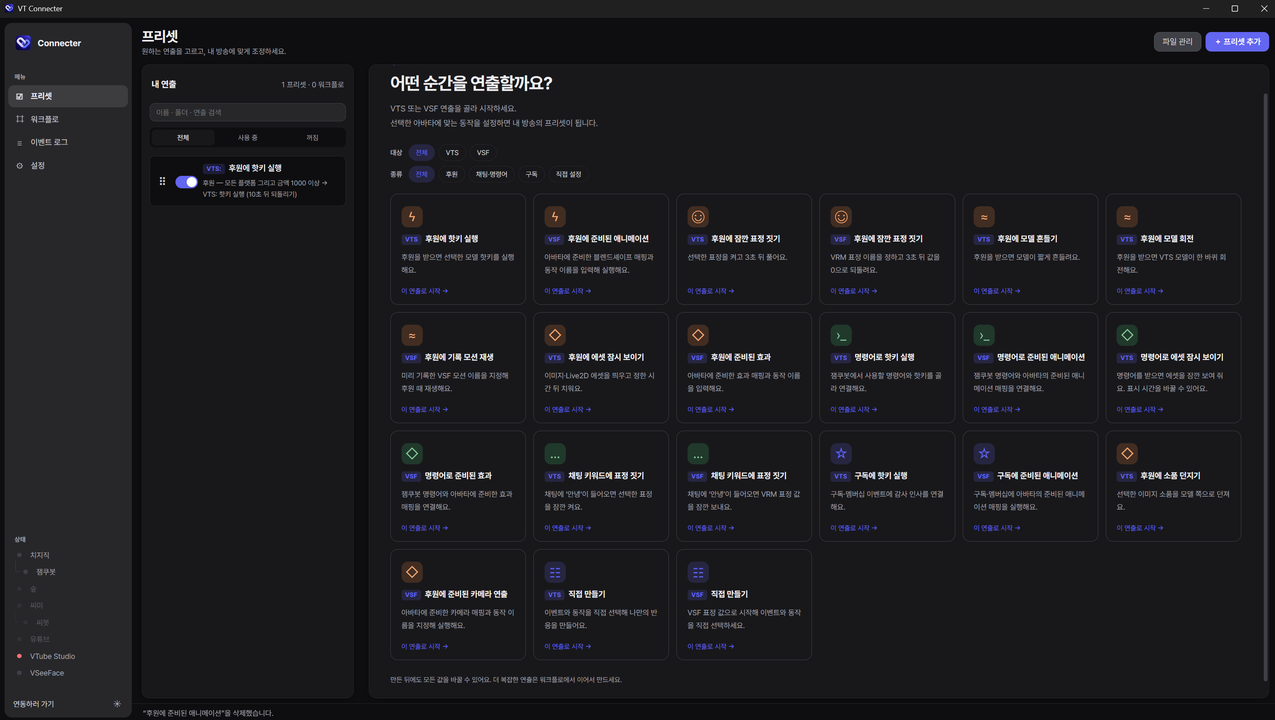
・ Presets: Pick a recommended reaction and set just three things — when, what, and how often
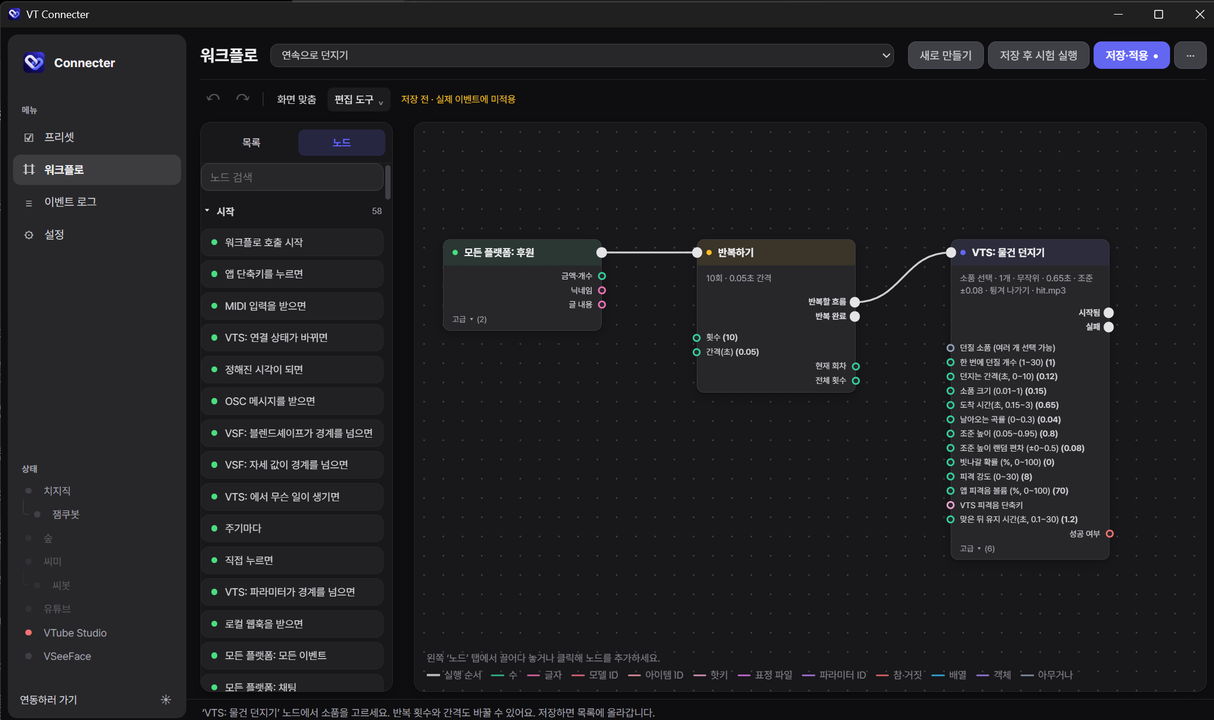
・ Workflow Editor: Connect 200+ node types to build conditions, branches, loops, random chance, variables, and waits
・ Easy Conditions: Combine amount, message, command, and sender role from dropdowns (AND / OR groups supported); node cards show each condition on its own line
・ VTS Actions: Hotkeys, expressions, shake / spin / move the model, tint, load / pin / move / animate items, screen effects, parameter control, model switching
・ Item Throwing: Props fly in, hit, and bounce off or stick — right inside VTS, no OBS source needed (up to 30 at once, with hit sound)
・ VSeeFace Support: Send expressions and pose, save poses, record and replay motion, detect gestures
・ Common Actions: OBS scene switching, sound playback, HTTP requests, calling other workflows
・ Many Triggers: Besides stream events — intervals, scheduled times, hotkeys, MIDI, OSC, local webhooks, and VTS events
・ Event Log & Test Run: Watch incoming events and results live, and try reactions before going on stream
・ Organize & Back Up: Manage lists with folders and drag-and-drop ordering; back up and restore every preset and workflow in a single file
・ Auto Update: The app tells you when a new version is out, and you install it whenever you like
Contents
・ VT Connecter Windows installer (.exe)
・ In-app guide
Specifications
・ OS: Windows 10 / 11 (64-bit, requires WebView2 Runtime · included in Windows 11)
・ Required software: VTube Studio ("Allow Plugin API access" must be enabled in settings), VSeeFace (only for VMC features), OBS (only for scene switching)
・ Platforms: CHZZK, SOOP, ci.me, YouTube
・ CHZZK: CHZZK account login required (via Jamkubot) / command, point, roulette, and attendance events require Jamkubot to be registered in your channel
・ ci.me: ci.me login required (via Cibot) / chat command features require Cibot to be registered in your channel
・ SOOP: Just enter your station ID (no login needed)
・ YouTube: Just enter the channel URL of a public live stream (no login or API key needed)
・ Version: v0.0.11
・ The app's interface is in Korean.
Terms of Use
・ Free to use for personal and commercial streams, ad / donation / monetized content, paid commissions, and setting up clients' streaming environments.
・ Presets, workflows, and stream content you create are yours to use, share, and sell freely. However, other people's models, assets, and music remain subject to their owners' terms.
・ When setting the app up on a client's PC as a commission, please point them to the original installer from the official distribution page.
・ Without the developer's permission, you may not sell the program itself, bundle the installer with other files for redistribution, or distribute modified builds as if they were official.
・ Decompiling, reverse engineering, and tampering are prohibited except where permitted by law.
・ The program is provided as is. Some features may temporarily stop working due to changes on streaming platforms or VTube Studio. Please keep important settings safe with the built-in backup.
・ The full terms are shown in the installer (in Korean).
Credits
・ Created by: so0420
・ VTube Studio is developed by DenchiSoft. This product is an unofficial app that uses the official VTube Studio Plugin API.
・ CHZZK, SOOP, ci.me, YouTube, VSeeFace, and OBS are trademarks of their respective owners and are not affiliated with this product.
・ Bundled font: Pretendard (SIL Open Font License 1.1)



